Wooden crate design in Palo Box: inside dimensions, walls and lid
Find the crate designer, choose a base and set clear inside dimensions, posts, walls and a custom lid with a live 3D preview.
Wooden crates and open-sided cases are designed in Palo Box, a separate workspace from the pallet editor. If the crate link opens the sign-in page, sign in first and then open the crate link again in the same browser.
1. Create an account and open the crate workspace
Choose Create account and enter your full name, email and password. Phone is optional. Complete registration with the verification code sent to your email. If you already have an account, sign in instead of registering again. Then open the Palo Box workspace.
2. Choose the base and usable inside space
Choose Pallet base, Flat floor, Skid base or Open bottom. A flat floor can use timber, plywood or OSB. The clear inside dimensions describe the usable space for your product. Outside dimensions are different because they also include the thickness of the surrounding members.
- Select mm, cm or inch.
- Enter clear inside length, width and height, considering any separate packaging and protection allowance.
- Compare inside and outside dimensions in the preview; use outside dimensions when planning transport.
3. Configure posts, walls and the lid
Continue through Posts, Walls, Braces and Lid. When choosing a wooden lid, expand its customization controls to set board dimensions and quantity. A spaced or closed lid, a different thickness or a sheet material can change the construction; inspect the resulting preview before proceeding.
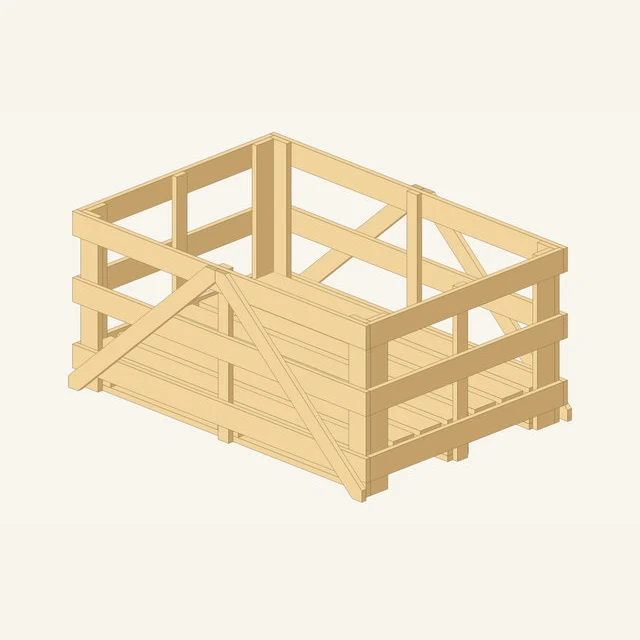
4. Review and save
At Review, check the parts list and outside dimensions. Switch between 3D, Technical drawing and 3D + Technical drawing. Save the design, then use Output studio to prepare the presentation your customer needs. Access and download allowances follow your account plan.