Pallet carriers, block counts and spacing: checking the layout
Move beyond the default three carriers and nine blocks. Set support quantities, inspect component spacing and check raised bearer placement.
Carrier boards, blocks and raised top bearers serve different roles. Identify the component you want to change before editing. New block pallets start with three carriers and nine blocks; custom designs can use different quantities.
Blocks per carrier
For example, five carriers with four blocks beneath each require twenty blocks: 5 × 4 = 20. Set the carrier count and blocks per carrier together. Then check in top and side views that the blocks sit beneath the boards they support. This is a quantity example, not a load-capacity recommendation.
Use dimensions before dragging
Use the available numeric position and spacing controls instead of relying only on dragging by eye. Expand the drawing editor to see the layout clearly. Pay attention to the component direction; movement on one axis should not unintentionally change alignment on the other. Equal distribution is useful when you want all gaps to match.
Must raised top bearers match the pallet length?
A raised top bearer is a separate design component. It may be longer or shorter than the pallet when the specification calls for it. After changing its length, inspect the overhang at both ends and its centering. The manufacturer must assess whether projecting components suit the handling and packaging conditions.
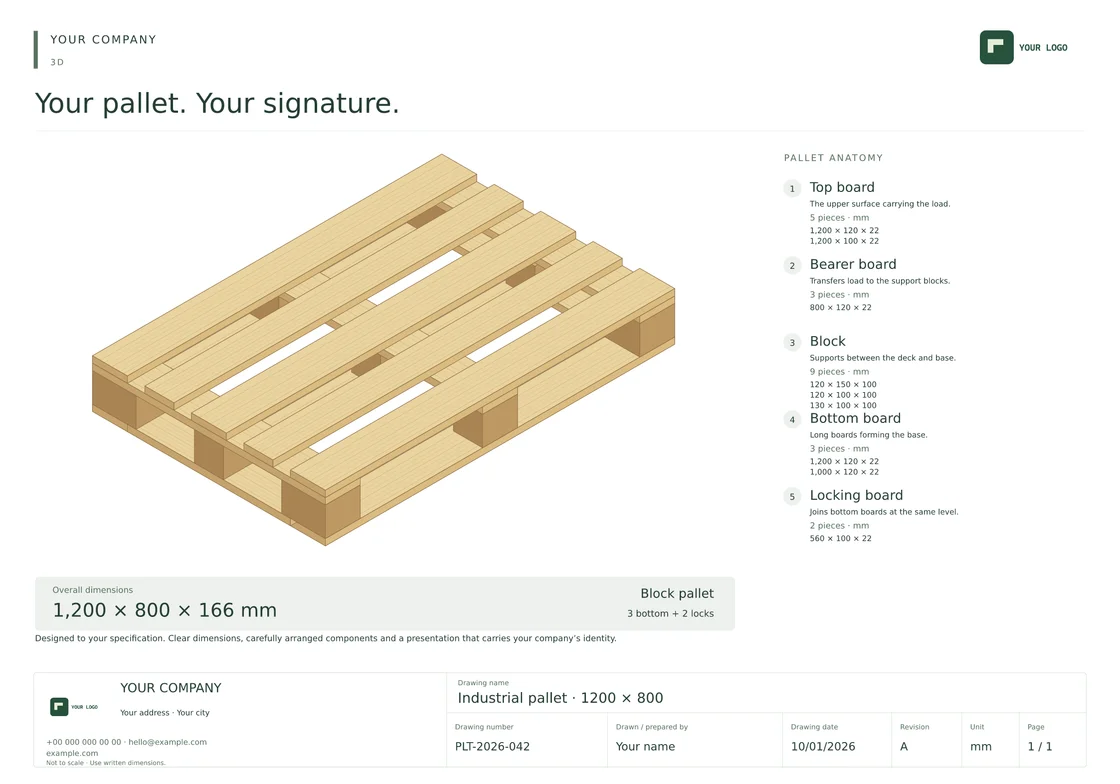
Check the result in three views
- Top: support positions and gaps.
- Side: contact between blocks, carriers and bottom boards.
- Rotated 3D: projecting ends and underside components.
Save the drawing with a clear name and review quantities and dimensions again in the technical output. If you modified an existing template, ensure the customer receives the correct revision.