Online pallet and crate catalog: share your products with one link
Create square product cards from saved designs, choose drawing download permissions and track customer quote requests in your catalog inbox.
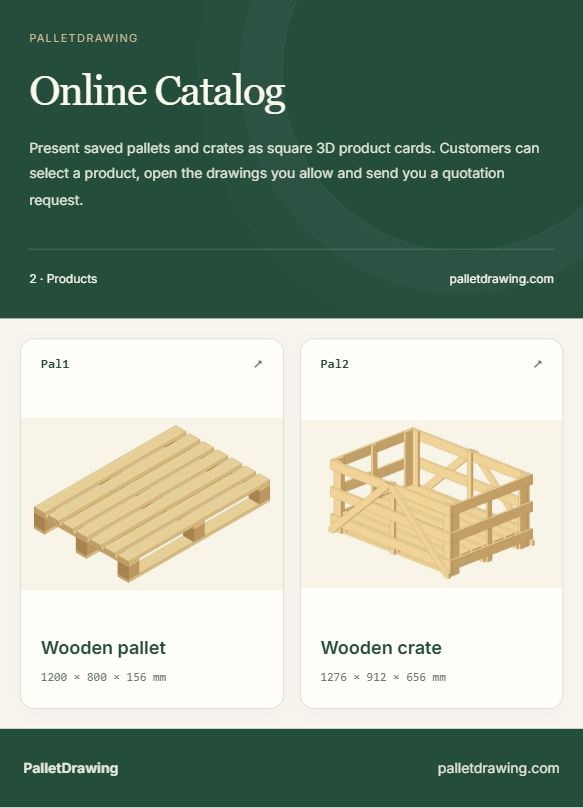
Online Catalog turns saved pallet and crate designs into a storefront your customers can browse. It is independent of Maestro Palo. Visitors open a product card to view the images or drawings you allow and can send a quotation request through the catalog.
1. Add products from saved designs
First draw and save your products in Palo or Palo Box. In Online Catalog, select products from saved designs. Give each card a clear name and, if needed, your own product code. Automatic codes such as Pal1 and Pal2 can be used when you leave the code blank. Distinguish different sizes of the same product with clear names.
2. Choose what the customer may view
Use a 3D view, technical drawing or combined presentation. Consider viewing and download permissions separately. Making a product public does not mean every document must be downloadable. Check the customer preview before sharing.
3. Save the draft, then publish
The draft and the published catalog are separate. After changing products, descriptions or styling, complete the publish step to update the customer-facing version. Copy the catalog link and send it to your customer. If you prefer the PDF catalog option, share that file separately.
4. Follow quotation requests
A customer opens Request a quote for a product and enters their contact and request details. The request arrives in your private catalog inbox, where you can track it using status and notes. This does not automatically set a price or create a binding order; you prepare the quotation for your customer.
Before you share
- Have you selected the right products and revisions?
- Are product codes, logo and contact details correct?
- Are viewing and download permissions set as intended?
- Is the published catalog readable on a phone?