01
Pallets, crates and custom designs
Work in 3D and prepare dimensioned technical drawings.
PALLETDRAWING / WINDOWS
Design pallets and crates on your computer with PalletDrawing. Sign in with your existing account and keep using the features of your membership.
Download from Microsoft StoreFree download · Account required
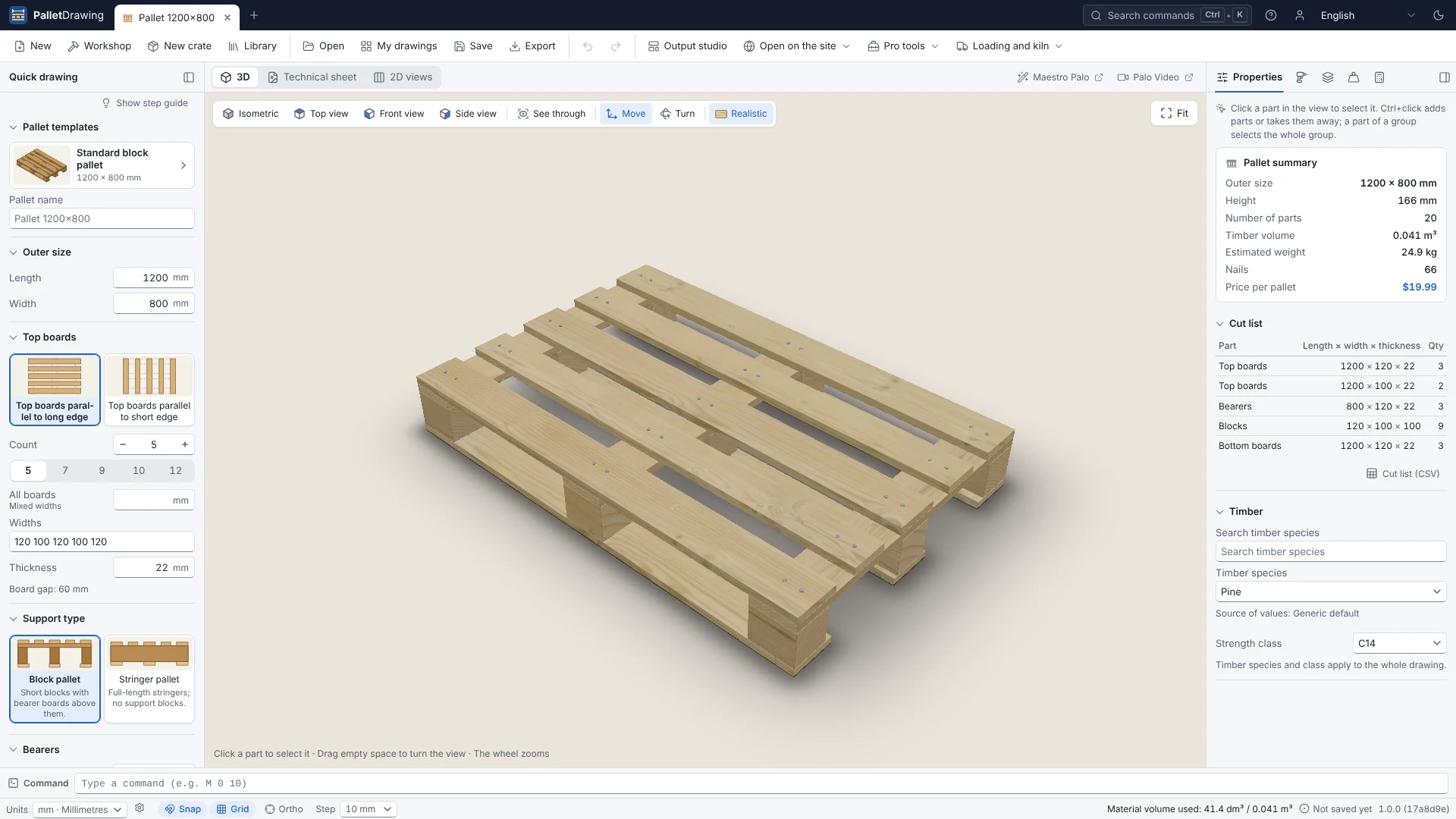 3D → PDF · SVG · PNG · DXF · CSV
Windows 10 2004 (19041+) / Windows 11 · x6416 languages
PALLETDRAWING
Work in 3D and prepare dimensioned technical drawings.
Create cutting lists, cutting plans, costs and quotations from your design.
Share PDF, SVG, PNG, DXF and CSV exports.
Use your website account and sync designs with the web. Available in 16 languages.
Choose a truck, trailer or container, or enter your own vehicle dimensions. See pallet capacity, total weight and floor, volume and load utilization. Compare nested stacking and 90° rotation options.
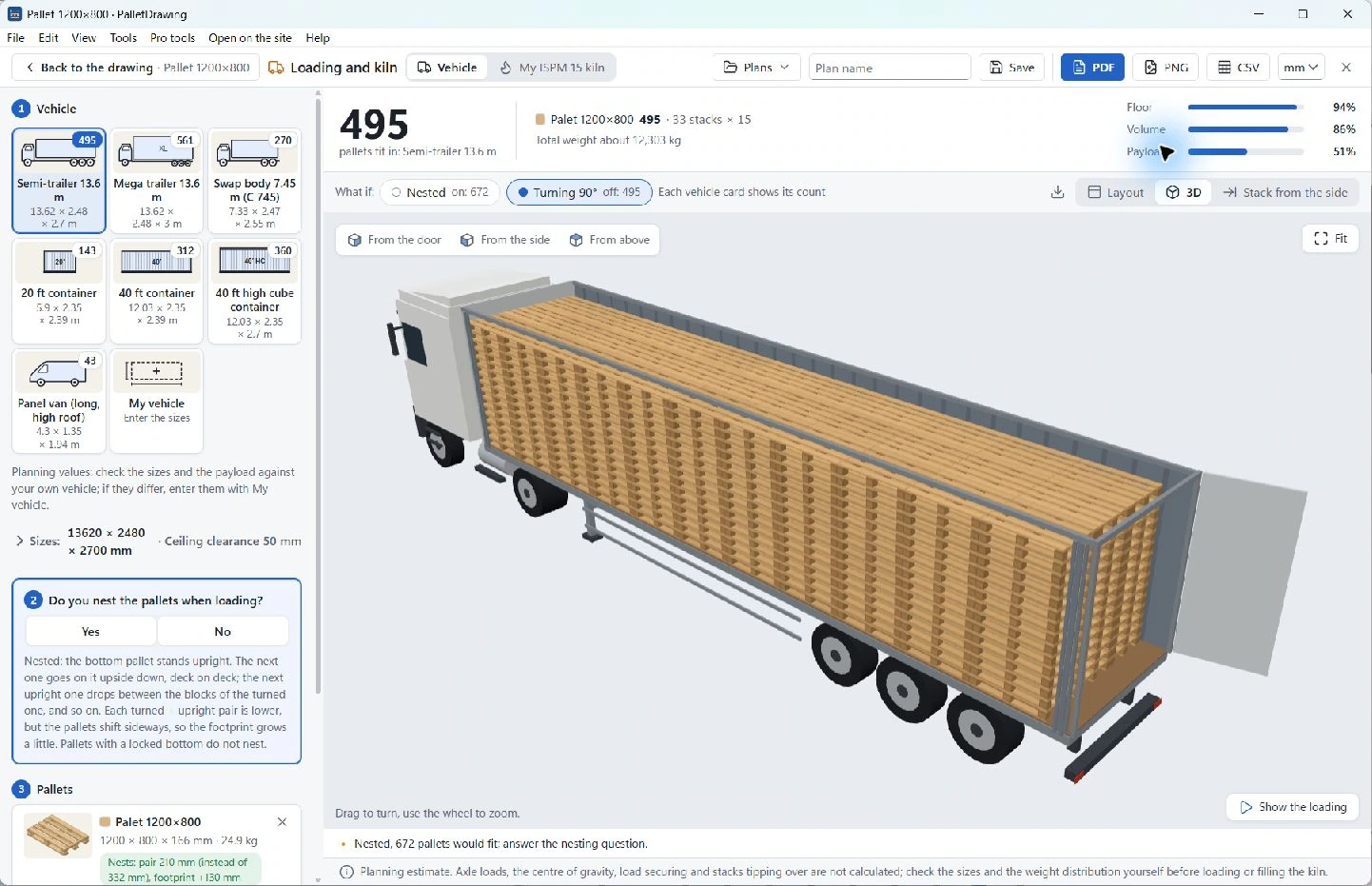 Enlarge image
Choose a single-door or pass-through kiln. Enter usable dimensions, stack height and clearances. Inspect a batch in 3D, compare nested stacking and save your kiln for the next plan.
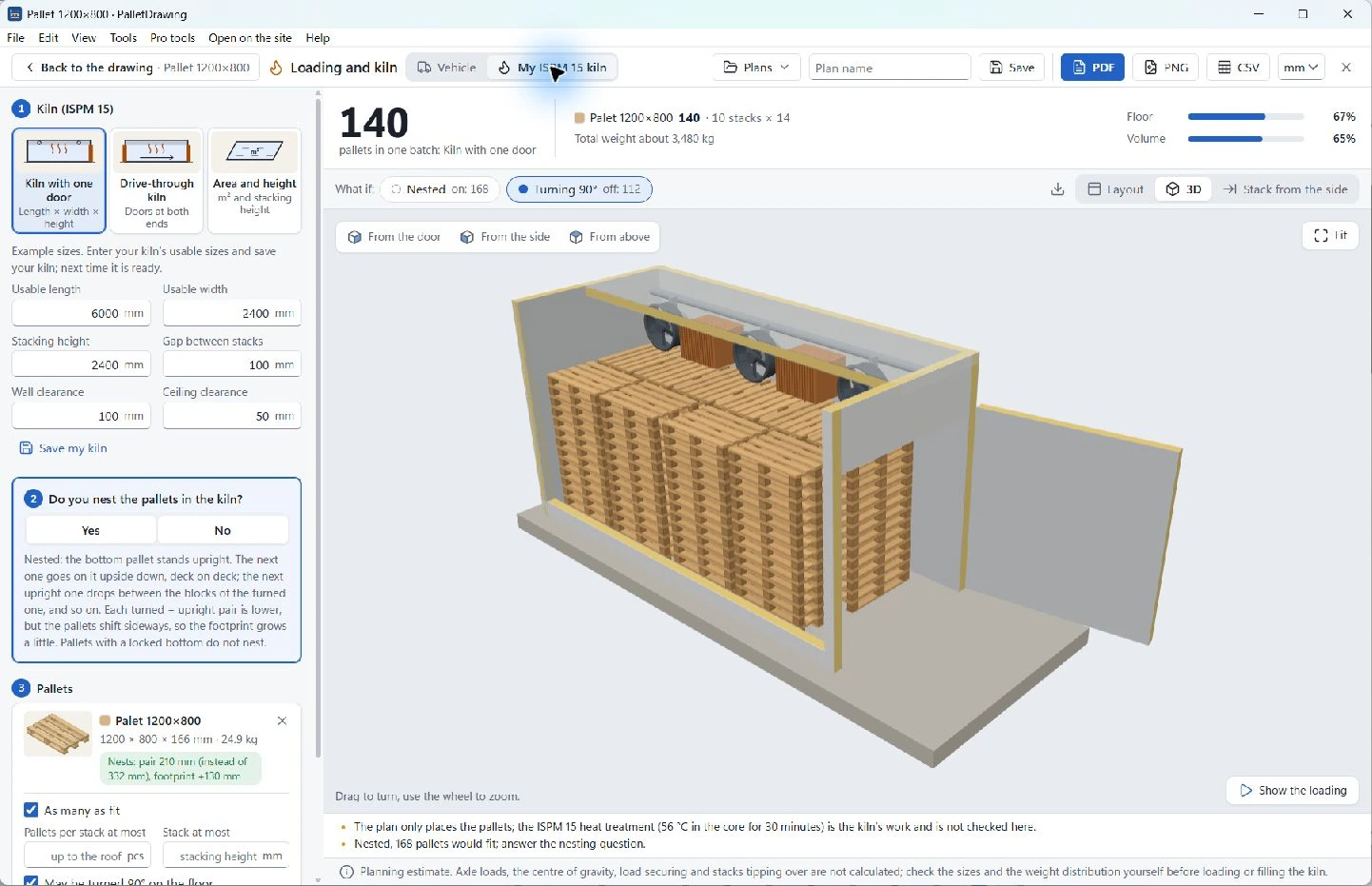 Enlarge image
The quantities shown belong to example plans; results depend on dimensions and stacking settings. Export plans as PDF, PNG or CSV. A kiln layout is not heat-treatment verification or ISPM15 certification.
Open Microsoft Store and install PalletDrawing.
Use the same account as on PalletDrawing or PaletÇiz.
Create a new design or sync your designs from the website.
The download is free. A PalletDrawing account is required. Your existing membership applies on desktop; Premium features require a paid membership, purchased on the website. A free download does not mean unlimited free use.
View membershipsWindows 10 · 2004 / 19041+
Windows 11
x64
Internet is required for download, sign-in and web sync.
Free download · Account required